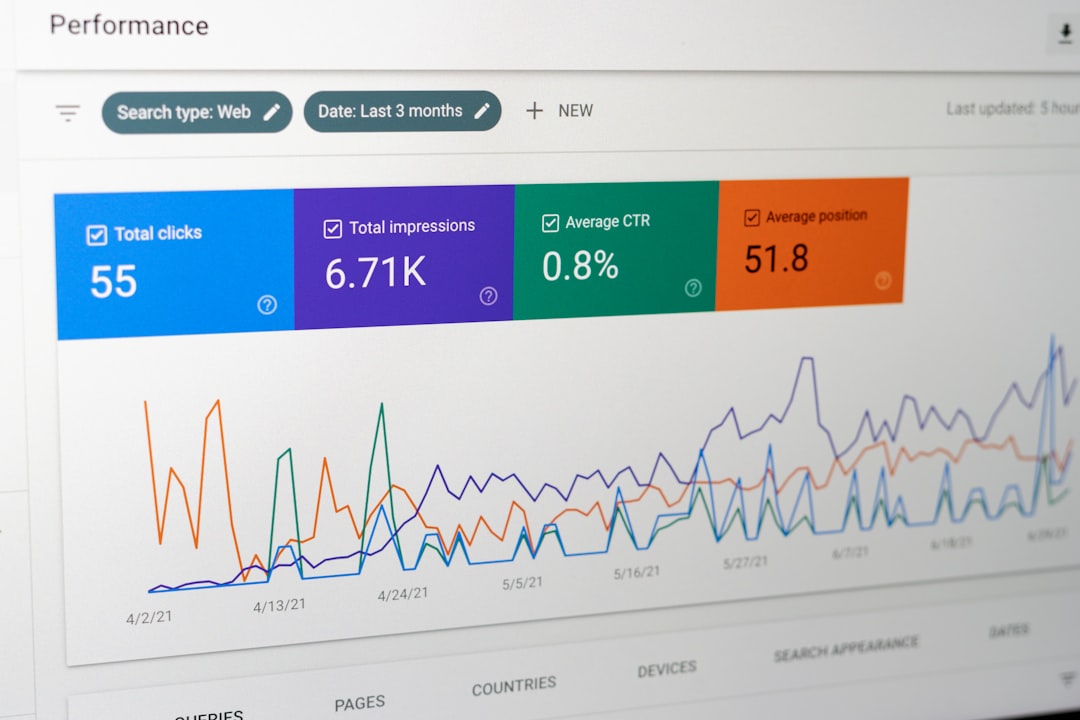
Google Ads can feel intimidating when you first open the platform: campaigns, bidding strategies, keywords, match types, quality scores, conversions, assets, audiences, and budgets all compete for your attention. But once you understand the structure, it becomes much easier to build campaigns that attract the right people and turn clicks into customers. This beginner guide walks you through the process step by step, with a focus on creating high-converting Google Ads campaigns rather than simply spending money on traffic.
TLDR: Start by choosing one clear campaign goal, such as leads, sales, or phone calls. Build focused ad groups around specific keywords, write ads that match search intent, and send visitors to a landing page designed for conversion. Track results from day one, then improve performance by adjusting keywords, bids, ads, and landing pages based on real data.
1. Understand How Google Ads Works
Google Ads is a pay-per-click advertising platform, which means you usually pay when someone clicks your ad. Your ads appear across Google Search, YouTube, Gmail, Google Maps, partner websites, and other placements depending on the campaign type you choose.
For beginners, the best place to start is often a Search campaign. These ads appear when someone types a query into Google, which means the user is already looking for something. That intent makes Search campaigns powerful for businesses that want leads, bookings, purchases, or inquiries.
Google decides which ads appear using an auction. However, the winner is not always the advertiser with the biggest budget. Google also considers factors such as:
- Bid amount: How much you are willing to pay for a click or conversion.
- Ad relevance: How closely your ad matches the user’s search.
- Landing page experience: Whether the page is helpful, fast, and relevant.
- Expected click-through rate: How likely users are to click your ad.
These elements contribute to your Quality Score, which can affect your costs and ad position. A well-structured campaign can often compete effectively even with a modest budget.

2. Define One Clear Campaign Goal
Before you create your campaign, decide exactly what you want people to do. A campaign without a clear goal is difficult to measure and even harder to improve.
Common Google Ads goals include:
- Generating contact form submissions
- Getting phone calls
- Driving online purchases
- Booking appointments
- Collecting newsletter signups
- Increasing visits to a local store
For high-converting campaigns, choose one primary goal per campaign. For example, if your goal is lead generation, do not also optimize the same campaign for blog traffic. Mixing goals creates confusing data and weaker optimization.
Once your goal is clear, set up conversion tracking. This is essential. Without tracking, you may know how many clicks you received, but you will not know which clicks became valuable actions. In Google Ads, conversions can be tracked through website tags, imported analytics goals, phone call tracking, app actions, or ecommerce purchases.
3. Choose the Right Campaign Type
Google offers several campaign types, but beginners should avoid launching everything at once. Start with the format most aligned with your goal.
- Search campaigns: Best for capturing people actively searching for your products or services.
- Display campaigns: Useful for awareness, remarketing, and visual promotions across websites.
- Shopping campaigns: Ideal for ecommerce stores with product feeds.
- Video campaigns: Good for brand awareness, education, and YouTube advertising.
- Performance Max campaigns: Automated campaigns that run across multiple Google channels.
If you are new and want direct response results, begin with Google Search. It gives you more control over keywords, ad copy, and search intent, which makes it easier to understand what works.
4. Research Keywords With Buyer Intent
Keywords are the foundation of a Search campaign. They tell Google which searches may trigger your ads. The mistake many beginners make is targeting broad, vague keywords that attract curious browsers instead of ready buyers.
Focus on keywords that show commercial intent. These often include words such as “buy,” “quote,” “near me,” “pricing,” “service,” “consultant,” “emergency,” “best,” or specific product names.
For example, a plumbing company might compare these two keywords:
- Plumbing tips — likely informational, low buying intent.
- Emergency plumber near me — urgent, high buying intent.
Use tools such as Google Keyword Planner, Google Search suggestions, competitor research, and your own customer questions to build a starter list. Then group related keywords into tight themes. A focused ad group might contain keywords around “emergency plumber,” while another targets “water heater repair.”
5. Understand Keyword Match Types
Google Ads uses match types to control how closely a search must match your keyword. Understanding them helps you avoid wasted spend.
- Broad match: Gives Google the most flexibility. Your ad may show for related searches, synonyms, and broader ideas.
- Phrase match: Shows ads for searches that include the meaning of your keyword phrase.
- Exact match: Targets searches with the same meaning or intent as your keyword.
For beginners, phrase match and exact match are usually safer starting points. Broad match can work well with strong conversion tracking and smart bidding, but it may spend quickly if not monitored.
Also create a negative keyword list. Negative keywords prevent your ads from showing for irrelevant searches. For example, if you sell premium software, you may add negatives such as “free,” “crack,” “torrent,” or “jobs.” This helps protect your budget and improve traffic quality.
6. Structure Campaigns and Ad Groups Properly
A clean campaign structure makes optimization much easier. Think of your Google Ads account as a filing cabinet: campaigns are large folders, ad groups are smaller folders, and keywords and ads are the documents inside.
A simple structure might look like this:
- Campaign: Plumbing Services
- Ad Group 1: Emergency Plumbing
- Ad Group 2: Drain Cleaning
- Ad Group 3: Water Heater Repair
Each ad group should contain closely related keywords and ads written specifically for that theme. This improves relevance. When someone searches “water heater repair,” they should see an ad about water heater repair, not a generic plumbing ad.

7. Write Ads That Match Search Intent
Your ad copy should answer the searcher’s question quickly and clearly. High-converting ads usually include the keyword theme, a strong benefit, a reason to trust you, and a clear call to action.
A strong search ad often includes:
- Relevant headline: Use language close to the search query.
- Main benefit: Explain what the customer gets.
- Trust signal: Mention reviews, years of experience, guarantees, or certifications.
- Call to action: Tell users what to do next.
For example, instead of writing:
“We Offer Plumbing Services. Visit Our Website Today.”
Write something more specific:
“Emergency Plumber Near You. Same-Day Repairs. Call for Fast Service.”
Google’s responsive search ads allow you to enter multiple headlines and descriptions. Google then tests combinations automatically. Provide a variety of strong assets, but make sure each one can stand on its own and still make sense.
8. Use Ad Assets to Increase Clicks
Ad assets, formerly called extensions, give your ads more space and more ways for users to interact. They can improve visibility and click-through rates without adding extra cost per click.
Useful assets include:
- Sitelink assets: Link to important pages such as pricing, testimonials, services, or contact pages.
- Call assets: Add a phone number directly to your ad.
- Location assets: Show your business address for local searches.
- Callout assets: Highlight benefits like “Free Estimates” or “24/7 Support.”
- Structured snippets: List service categories, brands, models, or product types.
Use assets that support your conversion goal. If calls are valuable, use call assets. If you want store visits, use location assets. If you sell multiple services, use sitelinks to guide users to the most relevant page.
9. Create a Landing Page That Converts
A click is not the final goal. The landing page must persuade visitors to act. Sending paid traffic to a generic homepage is often a mistake because the message may not match the ad.
Your landing page should include:
- A clear headline: Match the promise made in the ad.
- Simple explanation: Explain what you offer and who it is for.
- Visible call to action: Use buttons like “Get a Quote,” “Book a Call,” or “Buy Now.”
- Trust elements: Add testimonials, ratings, certifications, case studies, or guarantees.
- Fast loading speed: Slow pages reduce conversions and can hurt performance.
- Mobile-friendly design: Many Google Ads clicks come from mobile devices.
Remove unnecessary distractions. If your goal is a form submission, make the form easy to complete. If your goal is calls, place the phone number prominently. A high-converting page feels focused, trustworthy, and easy to use.

10. Set a Realistic Budget and Bidding Strategy
Your budget determines how much you are willing to spend per day. Start with an amount you can afford while still collecting enough data. Very tiny budgets may make testing slow, while oversized budgets can waste money before you understand performance.
For bidding, beginners can start with options such as:
- Maximize clicks: Useful if you want traffic, but watch quality carefully.
- Maximize conversions: Good once conversion tracking is working properly.
- Manual CPC: Gives more control, but requires more hands-on management.
- Target CPA: Helps aim for a specific cost per acquisition after enough conversion data is available.
If you are brand new, do not obsess over perfect bidding immediately. Focus first on accurate tracking, strong keywords, relevant ads, and a good landing page. Smart bidding works best when Google has reliable conversion data.
11. Launch, Monitor, and Optimize
After launching your campaign, avoid making major changes too quickly. Give the campaign time to gather data, but check it regularly for obvious problems.
Key metrics to monitor include:
- CTR: Click-through rate shows how compelling your ads are.
- CPC: Cost per click reveals how much traffic costs.
- Conversion rate: The percentage of visitors who take your desired action.
- Cost per conversion: How much you pay for each lead, sale, or action.
- Search terms: The actual queries people typed before clicking your ad.
The search terms report is especially valuable. It shows whether your keywords are attracting the right audience. Add irrelevant terms as negative keywords and consider turning strong search terms into new exact or phrase match keywords.
Optimization is an ongoing process. Test new headlines, adjust bids by device or location, improve your landing page, pause weak keywords, and expand what is working. High-converting campaigns are rarely perfect on day one; they become profitable through careful refinement.
12. Common Beginner Mistakes to Avoid
Many Google Ads campaigns underperform because of simple, preventable errors. Watch out for these mistakes:
- Running ads without conversion tracking
- Using only broad match keywords without negatives
- Sending all traffic to the homepage
- Targeting too many locations or services at once
- Writing generic ads that do not match the search
- Changing settings before enough data is collected
- Ignoring mobile experience and page speed
The best beginner strategy is focus. Start with a narrow offer, a defined audience, specific keywords, and one conversion goal. Once that campaign performs reliably, you can expand into more services, locations, audiences, and campaign types.
Final Thoughts
Google Ads is not just about buying clicks; it is about connecting the right searcher with the right offer at the right moment. A high-converting campaign begins with clear goals, continues with smart keyword targeting and persuasive ads, and succeeds when the landing page makes action easy.
If you are just starting, keep your first campaign simple. Track conversions, review search terms, improve relevance, and let performance data guide your decisions. With patience and consistent optimization, Google Ads can become one of the most measurable and scalable channels for growing your business.
