Choosing a professional video editing platform is no longer just about cutting clips and adding transitions. Today’s editors demand advanced color grading, visual effects, audio post-production, and seamless delivery workflows. DaVinci Resolve has emerged as one of the most powerful solutions in the industry, offering both a free version and a paid upgrade called DaVinci Resolve Studio. But which one truly fits your needs? Understanding the differences between Resolve and Studio is essential before committing to either version.
TL;DR: DaVinci Resolve (free) is arguably the most powerful free video editor available, offering professional-grade editing, color correction, audio tools, and visual effects for no cost. DaVinci Resolve Studio unlocks advanced features like noise reduction, HDR grading, AI-powered tools, 4K+ export at higher frame rates, and multi-user collaboration. For most hobbyists and independent creators, the free version is more than sufficient. Professionals working on commercial, broadcast, or cinema projects will likely benefit significantly from Studio.
Understanding DaVinci Resolve
DaVinci Resolve is developed by Blackmagic Design and has evolved from a high-end color grading tool into a complete post-production suite. Unlike many competitors that require paid subscriptions for advanced features, Resolve’s free version includes:
- Full non-linear editing capabilities
- Industry-leading color grading tools
- Fusion visual effects integration
- Fairlight professional audio post-production
- Multi-format export options
This makes it unique in the editing world. Competing software often places professional features behind subscription tiers, whereas Resolve provides an unusually generous free offering.
Core Differences: Free vs Studio
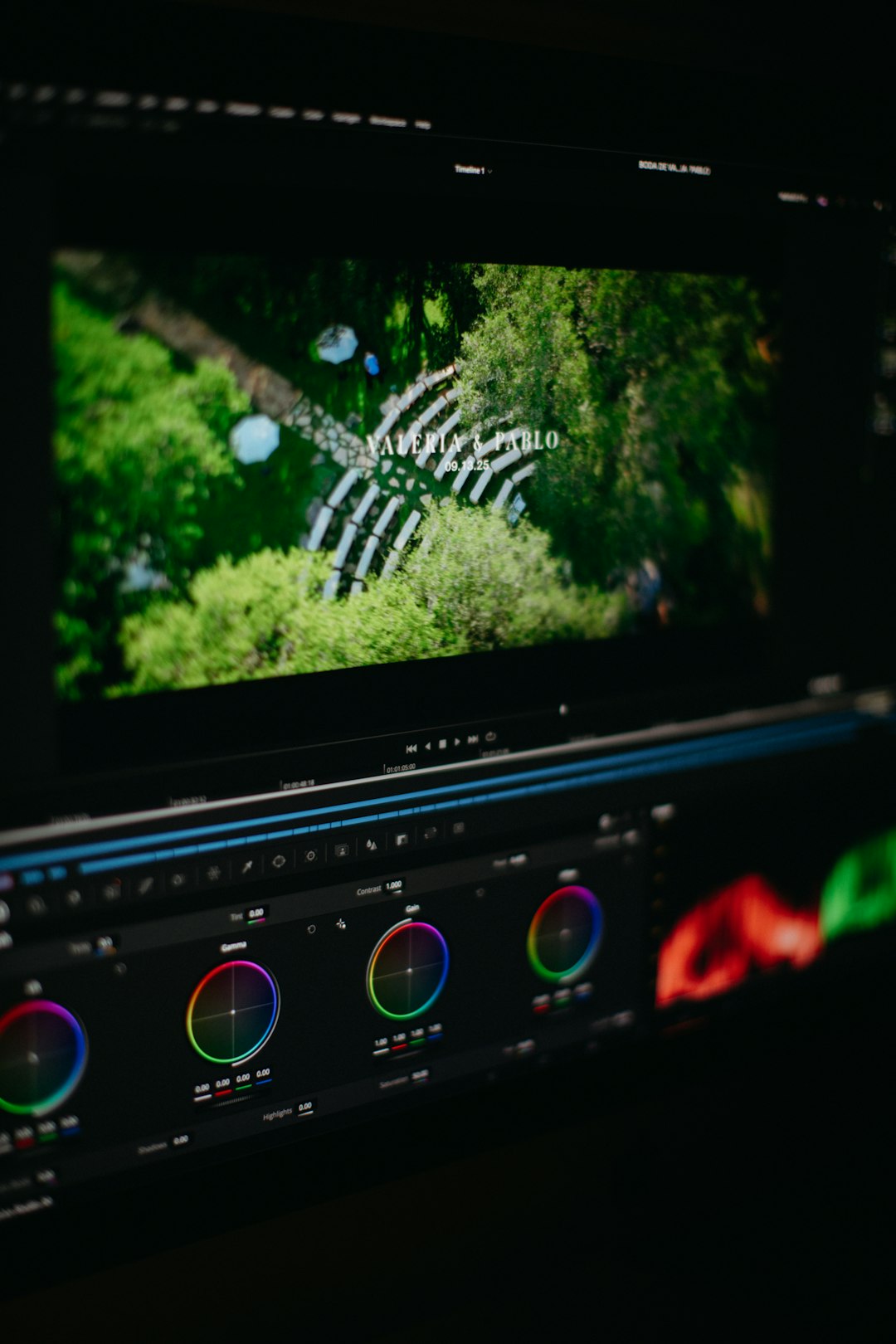
At first glance, both versions look identical. The interface, layout, and most tools function the same. However, Studio unlocks advanced features that can dramatically influence high-end workflows.
1. Resolution and Frame Rate Limitations
- Free Version: Limited to Ultra HD (3840×2160) export up to 60 fps.
- Studio: Supports higher than 4K resolutions (including 8K) and higher frame rates.
For YouTube creators, social media editors, and many corporate videographers, 4K is more than sufficient. However, filmmakers working in 6K or 8K pipelines will require Studio.
2. Performance and GPU Acceleration
The Studio version supports multiple GPUs and enhanced hardware acceleration. This leads to:
- Faster rendering speeds
- Improved timeline playback performance
- More efficient encoding and decoding of formats like H.264 and H.265
For smaller projects, the free version performs well. On complex timelines with heavy color grading and effects, Studio’s optimization becomes noticeably advantageous.
3. AI and Neural Engine Tools
One of Studio’s strongest selling points is access to Blackmagic’s Neural Engine. This includes:
- Magic Mask for advanced object tracking
- Smart Reframe for automatic aspect ratio adjustments
- Face Refinement for advanced beauty work
- Automatic color matching
- Voice isolation tools
These features significantly reduce post-production time, especially in demanding workflows. The free version lacks most of these AI-driven enhancements.

4. Noise Reduction
Temporal and spatial noise reduction tools are exclusive to Studio. This is a critical distinction.
Noise reduction can salvage footage shot in:
- Low-light environments
- High ISO conditions
- Documentary or event settings with limited lighting control
Well-implemented noise reduction alone justifies the Studio purchase for many professionals.
5. HDR and Advanced Color Workflows
Resolve is widely respected for its color grading capabilities. However, Studio extends those capabilities to include:
- HDR grading tools
- Dolby Vision support
- Advanced color management pipelines
- Stereoscopic 3D tools
If you are delivering content to streaming platforms or working in cinematic production, these tools are often mandatory rather than optional.
Fairlight Audio: Are There Differences?
Fairlight, Resolve’s integrated audio environment, is powerful in both versions. The core tools are available for free, including:
- Multi-track editing
- EQ and dynamics processing
- Automation tools
- Bus routing
Studio enhances performance and includes advanced immersive audio capabilities. For podcasters, YouTube creators, and corporate editors, the free Fairlight suite is robust enough. Audio professionals managing complex surround mixes may find Studio necessary.
Fusion Visual Effects
Fusion is integrated directly into Resolve, allowing node-based compositing inside the same application. Both versions include the full Fusion toolset. However, Studio offers:
- GPU acceleration for faster rendering
- Advanced Resolve FX plugins
- Additional filters and processing tools
For heavy VFX workflows, the performance boost in Studio becomes valuable, particularly when working with 3D compositions or particle systems.
Collaboration and Team Projects
For production houses and post-production studios, collaboration features are critical. Studio offers multi-user collaboration tools that allow editors, colorists, and sound designers to work simultaneously on the same project database.
This includes:
- Project server hosting
- Shared media workflows
- Simultaneous timeline work
The free version does not support real-time collaborative workflows at this level. For teams, Studio is almost essential.
Price Consideration
One of the most compelling arguments in favor of Studio is its pricing model. Unlike subscription-based competitors, DaVinci Resolve Studio requires a one-time purchase. Once bought, it includes ongoing updates within the major version cycle at no additional cost.
This is particularly attractive for professionals who prefer to avoid monthly software expenses. Compared to years of subscription fees elsewhere, Studio often pays for itself quickly.
Who Should Choose the Free Version?
The free version is ideal for:
- Beginner video editors learning the craft
- YouTube and social media creators
- Freelancers working primarily in 1080p or 4K
- Students studying film or media production
Its capabilities exceed what most casual editors require. Many independent filmmakers have completed feature-length projects using the free edition successfully.
Who Should Invest in Studio?
Studio is the smarter choice for:
- Professional colorists
- Commercial production companies
- Editors delivering HDR or 8K content
- Teams requiring collaboration tools
- Professionals needing advanced noise reduction
In professional environments where time savings equate to financial savings, Studio’s AI tools and performance enhancements become practical investments.
Performance Stability and Professional Reliability
Both versions are stable and industry-tested. Resolve is widely used in broadcast and film environments worldwide. However, Studio’s enhanced GPU support provides greater reliability for complex, high-resource projects.
Large timelines with dozens of nodes, high-resolution footage, and intricate sound design benefit from the additional computing flexibility that Studio offers.
Final Verdict: Which Is Better?
The term “better” depends on the context of use. Technically, DaVinci Resolve Studio is the more powerful product. It unlocks advanced tools, higher resolution workflows, AI-driven features, and collaborative capabilities that are essential in professional settings.
However, from a value perspective, DaVinci Resolve (free) is unmatched. No other editing platform offers such a comprehensive post-production suite without cost. For many users, it may represent the best balance of functionality and accessibility in the entire video editing market.
In conclusion, if you are exploring video editing, building a YouTube channel, or working independently on moderate-scale productions, start with the free version. Upgrade to Studio when:
- Your projects demand higher resolution output
- Noise reduction becomes critical
- You need AI-assisted workflow enhancements
- Collaboration and performance speed directly affect revenue
DaVinci Resolve stands out not because it forces users into costly upgrades, but because it allows creators to grow naturally into more advanced tools. The decision between Resolve and Studio is less about capability and more about professional necessity. Both are serious, production-level tools — the difference lies in scale, speed, and specialization.
