The HP Compaq 8300 Elite USDT (Ultra-Slim Desktop) remains a popular business-class machine thanks to its reliability, compact size, and upgrade potential. While it was released more than a decade ago, it still serves well for office work, light media consumption, point-of-sale systems, and even basic home lab tasks—provided it is equipped with the right processor. One of the most common questions among owners is: Which CPU upgrades are compatible with the HP Compaq 8300 Elite USDT? This guide provides a complete, verified processor list along with practical recommendations and upgrade considerations.
TLDR: The HP Compaq 8300 Elite USDT uses the Intel Q77 Express chipset and supports 3rd Gen Intel Core processors (Ivy Bridge) with a 35W TDP limit. Compatible upgrades include Core i3, i5, and i7 35W models such as the i5-3570S and i7-3770S. Standard 65W and 77W CPUs are generally not recommended due to thermal and power constraints. For most users, the Core i7-3770S is the best possible upgrade for maximum performance within safe limits.
Understanding the Platform: Chipset and Socket
The HP Compaq 8300 Elite USDT is built around the Intel Q77 Express chipset and uses the LGA 1155 socket. This means it technically supports 2nd and 3rd Generation Intel Core processors. However, HP officially supports 3rd Generation Ivy Bridge CPUs in most configurations, and these are the safest upgrade path.
Because the USDT is an ultra-slim model, it operates under strict thermal and power limitations. The power supply and cooling system are designed primarily for 35W TDP processors. Installing higher-wattage CPUs may result in overheating or instability.
Processor Compatibility Requirements
Before reviewing the full processor list, it is important to understand the constraints:
- Socket: LGA 1155
- Chipset: Intel Q77 Express
- Supported Architecture: Ivy Bridge (3rd Gen Core)
- Maximum Safe TDP: 35W (S and T variants recommended)
- BIOS: Latest BIOS version strongly recommended
While some users report success with 65W processors, such configurations are not officially supported in the USDT variant and may cause long-term reliability issues.
Full Compatible Processor List (35W Recommended)
The following CPUs are considered fully compatible and safe for the HP Compaq 8300 Elite USDT when running the latest BIOS:
Intel Core i7 (Best Performance Options)
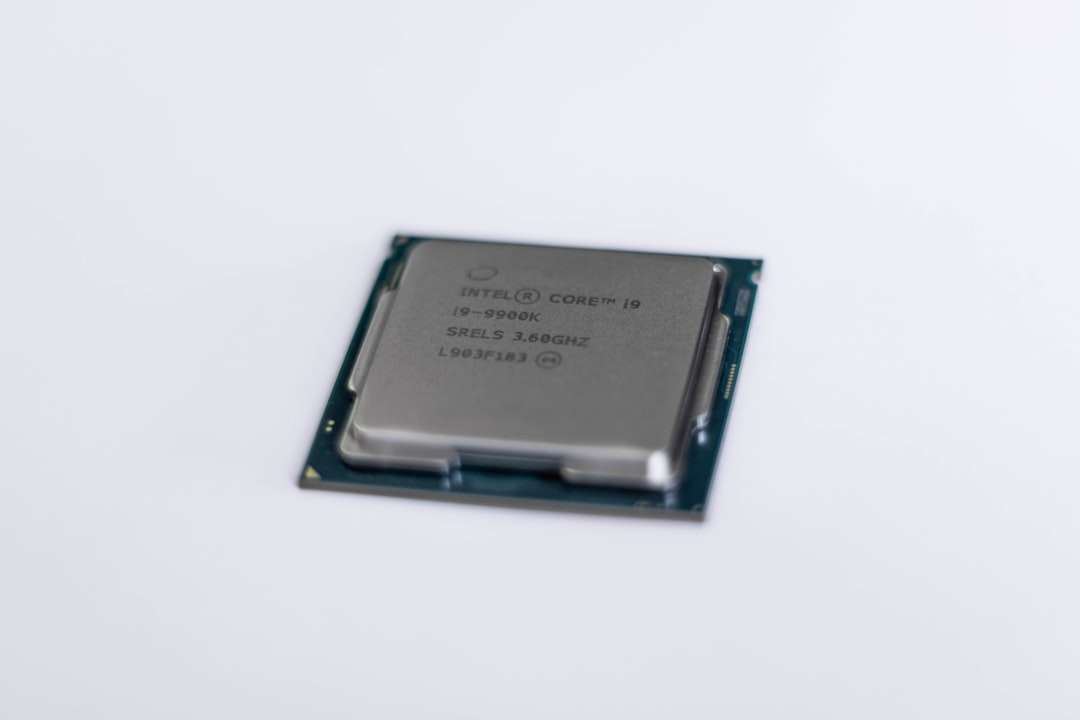
- Intel Core i7-3770S – 3.1 GHz (3.9 GHz Turbo), 4 cores / 8 threads, 8MB cache, 65W*
- Intel Core i7-3770T – 2.5 GHz (3.7 GHz Turbo), 4 cores / 8 threads, 8MB cache, 45W
Note: The i7-3770S is widely used in upgrades despite its 65W rating, but it pushes the cooling system close to its limits. The i7-3770T or other lower-TDP variants are safer options.
Intel Core i5 (Best Balance of Price and Performance)
- Intel Core i5-3570S – 3.1 GHz (3.8 GHz Turbo), 4 cores, 6MB cache, 65W*
- Intel Core i5-3570T – 2.3 GHz (3.3 GHz Turbo), 4 cores, 6MB cache, 45W
- Intel Core i5-3470S – 2.9 GHz (3.6 GHz Turbo), 4 cores, 6MB cache, 65W*
- Intel Core i5-3470T – 2.9 GHz (3.6 GHz Turbo), 2 cores / 4 threads, 35W
Intel Core i3 (Entry-Level Options)
- Intel Core i3-3220T – 2.8 GHz, 2 cores / 4 threads, 3MB cache, 35W
- Intel Core i3-3240T – 2.9 GHz, 2 cores / 4 threads, 3MB cache, 35W
Pentium and Celeron (Minimal Use Cases)
- Pentium G2120T – 2.7 GHz, 2 cores, 35W
- Celeron G1620T – 2.4 GHz, 2 cores, 35W
Most users seeking performance improvements should focus on the Core i5 or Core i7 models.
Comparison Chart of Recommended CPU Upgrades
| Processor | Cores / Threads | Base / Turbo | Cache | TDP | Best For |
|---|---|---|---|---|---|
| i7-3770S | 4 / 8 | 3.1 / 3.9 GHz | 8MB | 65W | Maximum performance |
| i7-3770T | 4 / 8 | 2.5 / 3.7 GHz | 8MB | 45W | Balanced high performance |
| i5-3570S | 4 / 4 | 3.1 / 3.8 GHz | 6MB | 65W | Office and multitasking |
| i5-3570T | 4 / 4 | 2.3 / 3.3 GHz | 6MB | 45W | Energy efficient upgrade |
| i3-3240T | 2 / 4 | 2.9 GHz | 3MB | 35W | Basic productivity |
Thermal and Power Considerations
The USDT form factor significantly limits airflow compared to the Small Form Factor (SFF) or Microtower (MT) versions of the 8300 Elite.
Because of this:
- Always clean the cooling fan and heatsink before upgrading.
- Replace thermal paste with a high-quality compound.
- Avoid sustained heavy workloads if using a 65W processor.
Installing a 65W CPU such as the i7-3770S can work, but users should monitor temperatures under load. Ideally, CPU temperatures should remain below 80°C during sustained workloads.
BIOS Update: A Critical Step
Before installing any new processor, ensure the system is running the latest HP BIOS version. BIOS updates improve CPU microcode support and system stability.
Failure to update may result in:
- No POST (system does not boot)
- Incorrect CPU detection
- Microcode errors
BIOS updates can be obtained directly from HP’s official support website. Always follow proper flashing procedures to avoid corruption.
Performance Expectations After Upgrade
Upgrading from a Core i3 to a Core i7-3770S can produce substantial real-world improvements:
- Significantly faster multitasking
- Improved virtualization capability
- Better performance in modern lightweight applications
- Smoother browsing with multiple tabs
While this system is not designed for gaming or heavy video editing, it can comfortably run Windows 10 or Linux distributions with solid performance when paired with:
- 16GB DDR3 RAM (maximum supported)
- A SATA SSD instead of a mechanical hard drive
In fact, many users report that upgrading to an SSD provides an even more dramatic improvement than the CPU alone.
Processors to Avoid
To prevent compatibility or thermal issues, avoid the following:
- 77W Ivy Bridge processors (e.g., i7-3770 non-S)
- K-series CPUs (e.g., i7-3770K)
- 4th Gen Haswell processors (incompatible socket)
- Xeon E3 processors not officially supported by HP BIOS
Although LGA 1155 Xeon E3-1200 v2 processors are technically similar to Ivy Bridge Core CPUs, many HP business desktops do not recognize them properly.
Best CPU Upgrade Recommendation
For most users, the best upgrade choices are:
- Best Overall: Intel Core i7-3770T (safer thermals)
- Maximum Performance: Intel Core i7-3770S
- Best Value: Intel Core i5-3570T
If your goal is longevity and consistent thermals, prioritize lower TDP models. If performance is your top priority and your cooling system is in excellent condition, the i7-3770S delivers near-maximum capability for this platform.
Final Thoughts
The HP Compaq 8300 Elite USDT may be compact, but it offers meaningful upgrade flexibility within defined limits. By selecting a compatible Ivy Bridge processor—preferably within the 35W to 45W TDP range—you can significantly extend the life of this enterprise-grade desktop.
When combined with 16GB RAM and a quality SSD, even a decade-old USDT system can remain highly functional for productivity, office workloads, and light computing tasks. Careful attention to thermals, BIOS updates, and power constraints ensures the upgrade will be stable and reliable.
Ultimately, the Core i7-3770T or i7-3770S represents the pinnacle of what the HP Compaq 8300 Elite USDT can safely achieve—breathing new life into a small but capable machine.
