
In an age where work and personal life increasingly blend together, understanding how time is actually spent has become more important than ever. Many professionals believe they have a clear sense of their daily productivity, yet when measured objectively, the numbers often tell a different story. Time tracking tools provide clarity, revealing patterns, distractions, and opportunities for improvement. By transforming assumptions into data, these tools empower individuals and teams to make informed decisions about how their hours are allocated.
TLDR: Time tracking tools help individuals and teams understand exactly where their hours go, uncovering hidden inefficiencies and improving productivity. From freelancers to large enterprises, digital tools offer features like automatic tracking, reporting dashboards, and project-based analysis. By reviewing accurate time data, users can optimize workflows, set realistic goals, and manage workloads more effectively. Choosing the right tool depends on work style, team size, and reporting needs.
Time, unlike most business resources, cannot be replenished. Once an hour passes, it is gone. Yet many individuals rely on memory or guesswork to evaluate how they spent their day. This subjective approach often underestimates distractions, overestimates productive effort, and fails to identify workflow bottlenecks. Time tracking tools introduce measurable accountability by recording activities in structured, reviewable formats.
Why Time Tracking Matters
Effective time tracking goes beyond monitoring productivity. It provides a foundation for informed decision-making across several dimensions:
- Improved Productivity: Identifies time drains and promotes focused work.
- Accurate Billing: Ensures freelancers and agencies invoice clients correctly.
- Project Forecasting: Helps estimate timelines based on historical data.
- Work-Life Balance: Reveals patterns of overwork or imbalance.
- Team Transparency: Encourages accountability and clearer collaboration.
By translating daily activity into data, users gain insights that memory alone cannot provide. Detailed reports uncover habits that may otherwise go unnoticed.
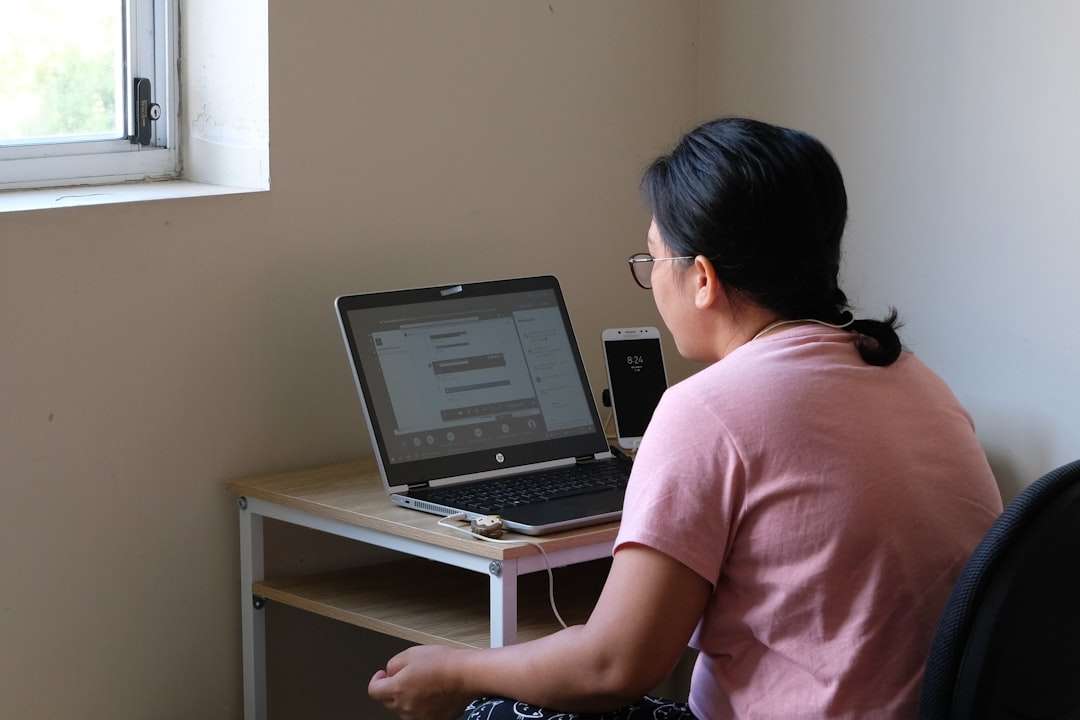
Key Features to Look for in Time Tracking Tools
While all time tracking tools share the basic function of recording hours, the best platforms offer additional features that enhance usability and insight.
- Automatic Tracking: Records app usage and website activity in the background.
- Manual Timers: Allows users to start and stop tracking for specific tasks.
- Project Categorization: Organizes time by client, task, or department.
- Detailed Reporting: Visual dashboards that show daily, weekly, and monthly breakdowns.
- Integrations: Syncs with project management and invoicing software.
- Mobile Access: Tracks time across devices, including smartphones.
The right feature set depends largely on whether the user works independently, manages a team, or operates within a structured corporate environment.
Popular Time Tracking Tools and What They Offer
Below are several widely used time tracking tools, each designed to support different workflows and preferences.
1. Toggl Track
Best for simple and flexible tracking. Toggl Track offers a clean interface and one-click timers. Its reporting features are intuitive, making it ideal for freelancers and small teams who want straightforward analytics without complexity.
2. RescueTime
Best for automatic productivity monitoring. RescueTime runs in the background and categorizes activities automatically. It excels at revealing how much time is spent on productive versus distracting applications.
3. Clockify
Best for budget-conscious teams. Clockify provides robust features in its free tier, including timesheets, reporting, and team tracking. It works well for startups and small businesses.
4. Harvest
Best for client billing and invoicing. Harvest combines time tracking with expense tracking and invoicing tools, making it particularly useful for agencies and consultants.
5. Hubstaff
Best for remote team management. Hubstaff includes GPS tracking, productivity measurements, and payroll integrations, providing greater oversight for distributed teams.
Comparison Chart
| Tool | Best For | Automatic Tracking | Team Features | Invoicing |
|---|---|---|---|---|
| Toggl Track | Freelancers and small teams | No (manual optional) | Basic | Limited |
| RescueTime | Personal productivity insights | Yes | Limited | No |
| Clockify | Budget teams | Optional | Strong | Add-on |
| Harvest | Client-based businesses | Manual | Strong | Yes |
| Hubstaff | Remote teams | Yes | Advanced | Payroll integrations |
How Time Tracking Reveals Hidden Patterns
One of the most powerful benefits of time tracking is pattern recognition. When individuals review weekly or monthly reports, certain trends emerge:
- Frequent task switching that reduces deep focus.
- Extended time spent on administrative tasks.
- Peak productivity hours during the day.
- Unplanned interruptions or digital distractions.
These insights allow for strategic adjustments, such as scheduling complex tasks during peak focus periods or batching administrative work into specific time blocks.
Benefits for Different Types of Users
Freelancers
Freelancers depend on accurate billing and efficient time allocation. Time tracking ensures that every billable minute is recorded while also highlighting underpriced services or time-intensive projects.
Small Businesses
For growing companies, time tracking clarifies resource allocation. Managers can identify whether projects are exceeding estimates or if workloads are unevenly distributed among employees.
Remote Teams
Distributed work environments benefit from increased visibility. Time tracking builds transparency without relying on micromanagement, fostering trust through data rather than constant oversight.
Individuals Seeking Better Work-Life Balance
Time data often uncovers excessive overtime or weekend work. Recognizing these trends allows individuals to enforce healthier boundaries and prioritize personal commitments.
Best Practices for Implementing Time Tracking
Adopting a time tracking tool requires thoughtful integration into daily routines. Consider the following best practices:
- Start with Clear Goals: Determine whether the objective is billing accuracy, productivity improvement, or workload management.
- Communicate Transparently: If implementing within a team, explain the purpose and benefits clearly.
- Review Reports Regularly: Data is only useful when analyzed consistently.
- Avoid Over-Optimization: The aim is improvement, not micromanagement.
- Adjust Based on Insights: Make schedule or task changes according to findings.
Consistency is crucial. A time tracking system works best when used daily and reviewed weekly.

Challenges and Considerations
Despite their advantages, time tracking tools may present challenges. Some individuals perceive them as intrusive or worry about reduced autonomy. To mitigate these concerns, organizations should emphasize growth rather than surveillance.
Another common challenge is incomplete data due to inconsistent usage. Forgetting to start timers or mislabeling tasks can distort insights. Automated tracking features can help solve this issue but may introduce privacy considerations.
Balancing data transparency with employee trust remains essential. When used constructively, time tracking builds self-awareness rather than pressure.
Turning Data into Action
The ultimate value of time tracking lies in behavior change. After identifying patterns, users can take concrete steps:
- Reallocate time toward high-value activities.
- Eliminate or delegate low-impact tasks.
- Set realistic project timelines.
- Establish focused work blocks.
- Create boundaries around work hours.
Over time, these micro-adjustments accumulate into measurable improvements in efficiency and well-being.
Conclusion
Understanding where hours go is the first step toward intentional productivity. Time tracking tools provide clarity in environments often clouded by assumption and multitasking. By selecting the right tool and reviewing data regularly, individuals and teams gain actionable insights into how they work. Whether the goal is improved billing accuracy, enhanced productivity, or healthier work habits, measuring time remains one of the most powerful strategies for sustained improvement.
Frequently Asked Questions (FAQ)
-
1. Are time tracking tools only for businesses?
No. While widely used in professional settings, individuals can use them to monitor personal goals, study habits, or freelance work. -
2. Do time tracking tools spy on employees?
Most tools focus on recording task duration rather than intrusive monitoring. Transparency and clear communication help address privacy concerns. -
3. How accurate are automatic tracking tools?
Automatic trackers are generally accurate in measuring app and website usage, but users may still need to categorize tasks correctly. -
4. Can time tracking improve work-life balance?
Yes. By revealing overtime patterns and inefficient workflows, users can set healthier boundaries and prioritize personal time. -
5. Which time tracking tool is best?
The best tool depends on individual needs, including team size, reporting requirements, budgeting constraints, and billing features.
