If you ever drove anywhere and wanted the smartest, real-time traffic app, chances are you’ve used Waze. It’s fun, fast, and warns you about traffic and police ahead. Now, imagine having Waze right inside your Tesla—no phone, no extra setup. So, could Waze be coming to Tesla cars?
TL;DR
Waze is not currently available as a native app on Tesla’s infotainment system. However, there are workarounds, like using Tesla’s built-in browser or casting from your phone. Tesla owners have long wanted Waze integration because of its powerful traffic reporting. But for now, it’s still a wish and not a feature.
Why People Love Waze
Before we jump into Tesla talk, let’s chat about why Waze is awesome:
- Real-time traffic updates from other users
- Police and hazard alerts
- Fun voices and icons
- Dynamic rerouting when something goes wrong
Waze makes driving feel like a video game—with helpful results!
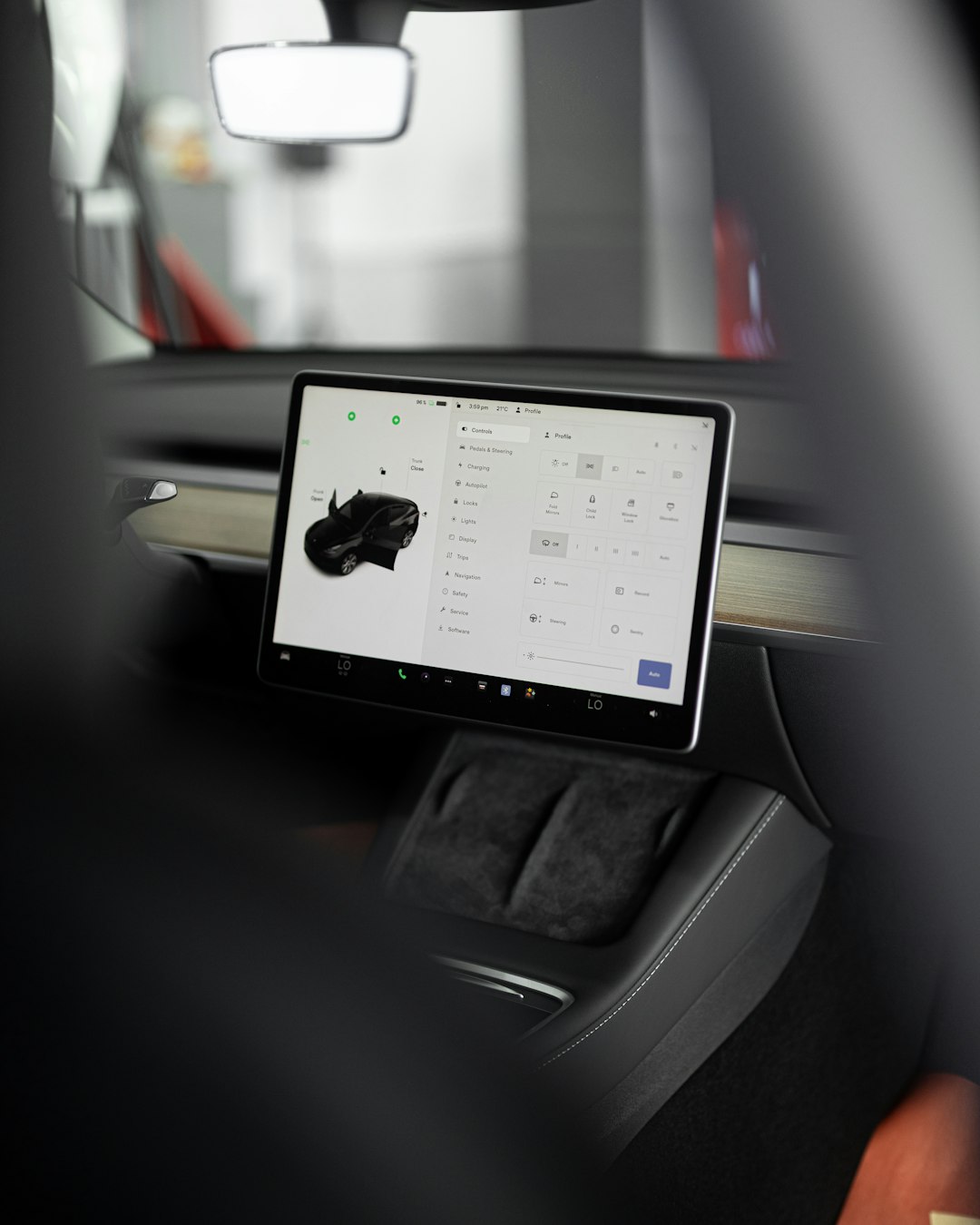
Tesla’s Navigation System
Now on to Tesla. Yes, Teslas already have a smart navigation system. It uses Google Maps data and has live traffic features. But—it’s not Waze. Here’s what Tesla’s navigation doesn’t include:
- No detailed crowdsourced hazard alerts
- No quirky voice options (sorry, Cookie Monster fans)
- No community-based updates as you drive
So while Tesla Navigation is solid, Waze just has that ✨extra magic✨.
Can You Use Waze on Tesla Right Now?
The simple answer? Not directly.
Tesla vehicles don’t allow installing third-party apps like phones do. There’s no app store on the Tesla screen. That means no direct Waze download.
But! Creative Tesla owners have found workarounds. Let’s take a look.
1. Using the Tesla Web Browser
This trick is easy: Open the car’s built-in browser and go to waze.com.
From there, you can use Waze’s live map on the web. It’s not as interactive as the app, but you can still:
- See traffic jams
- Spot police and accidents
- Scroll around the area
The downside is that it doesn’t follow your car’s location in real-time—and it won’t speak to you with funny voices.
2. Using Your Phone with Screen Cast
Some tech-savvy Tesla owners use a technique called “casting” or “mirroring.”
This means your phone’s screen (with Waze running) shows up on the Tesla display. But this only works with certain tools or tricks involving a Raspberry Pi or streaming app.
While it’s cool, it’s not user-friendly for everyone. Also, Tesla hasn’t fully opened up support for Apple CarPlay or Android Auto, which support Waze natively.
Why Doesn’t Tesla Just Add Waze?
Good question. Waze is owned by Google. And while Tesla does use Google Maps for navigation, Waze is a separate system entirely.
Here are some possible reasons why Waze isn’t offered directly in Teslas:
- Business competition: Tesla prefers to build its own systems rather than rely on others.
- App integration limits: Tesla doesn’t let outside apps run freely on its touchscreen system.
- Data privacy: Waze collects a lot of data, and Tesla may want to keep things private and secure.
Basically, Tesla likes control. That’s how the company builds everything—from software to car seats!
What Are Tesla Owners Saying?
Take a spin through Tesla forums and Reddit, and you’ll see tons of posts like:
“Please add Waze support, I miss seeing roads cops ahead!”
“If Waze was built into Tesla, I’d be SO happy!”
Clearly, there’s a big demand. People love Tesla cars, but they miss their Waze features.
Some even say they still keep their phone running Waze in a cup holder just for the alerts!
Will Waze Ever Be Added to Tesla?
Maybe. No official plans have been announced yet. But there is hope.
Tesla has slowly added more functionality to its cars, like:
- YouTube and Netflix on the touchscreen
- Customizable driving profiles
- Improved voice commands and traffic view
So it’s possible that in the future, Elon Musk and Tesla engineers might allow Waze-like features—or even Waze itself.
Waze-Like Features Tesla Could Add
If Tesla never adds Waze officially, maybe they’ll add similar features. Stuff like:
- Real-time hazard reports from other Tesla drivers
- Police and accident alerts
- More flexible rerouting
- Optional voice packs (Morgan Freeman, anyone?)
Because really, sometimes you DO want a celebrity voice telling you where to turn.
Alternative Navigation Apps in Tesla?
Currently, Tesla offers only its native navigation—no Google Maps app, no Apple Maps, and no Waze app. But there are hopeful signs that this could change.
In 2022, a developer created a tool called Tesla Android, which lets drivers run an Android environment inside their Tesla browser. That means you could, technically, run ANY Android app—including Waze.
But again, this isn’t for everyone. It takes some rigging and may void your car’s warranty if you mess up. So while it’s cool tech, it’s not for the faint-hearted.
The Verdict
No, Waze isn’t officially in Tesla—yet. But with enough demand and a little technical magic, it could be possible someday.
For now, you’ll have to live with these options:
- Using the web version of Waze in your Tesla browser
- Cast Waze from your phone (if you can)
- Keep your phone running Waze the old-school way—mounted or in the cup holder
Still, we’re hopeful. After all, if we can land rockets on boats, surely we can get Waze in a Tesla, right?
Final Thoughts
What makes Waze so great is the community—real drivers helping each other.
And what makes Teslas great? Constant updates. So maybe one day, the two will meet properly.
Until then, bring a phone charger and keep Waze handy on your mobile. Just in case traffic—or a speed trap—comes up!
