Your phone is a tiny computer, camera studio, game console, navigation system, and communication hub packed into a slim rectangle with almost no room for airflow. So when it starts feeling hot in your hand, it is not always a sign that something is “wrong” — but it is a signal worth understanding. Phone overheating usually happens because the device is working hard, charging inefficiently, struggling with poor signal, or running too many processes at once.
TLDR: Your phone overheats when its processor, battery, display, or network hardware is under heavy load for too long. Charging, gaming, video recording, weak signal, background apps, and hot environments are the most common causes. Occasional warmth is normal, but frequent overheating can reduce battery health and performance. To prevent it, use quality chargers, close unnecessary apps, avoid direct sunlight, and give your phone breaks during demanding tasks.
Why Phones Get Hot in the First Place
Every phone produces heat as it works. The processor, graphics chip, battery, display, modem, camera sensor, and storage all generate heat when active. Unlike a laptop or desktop computer, your phone usually has no fan. Instead, it spreads heat through the metal frame, glass back, internal graphite sheets, or vapor chamber cooling systems found in some high performance models.
This means the phone’s body often becomes the heat outlet. If the back or sides feel warm, that is partly because the device is doing its job by moving heat away from delicate components. However, when heat builds up faster than the phone can release it, the device may throttle performance, dim the screen, slow charging, pause apps, or display a temperature warning.
Normal warmth is common during charging, video calls, GPS navigation, streaming, or gaming. Problematic overheating is different: the phone becomes uncomfortable to hold, shuts down unexpectedly, drains battery unusually fast, or gets hot even when you are not using it.
Charging: Why Your Phone Gets Hot While Plugged In
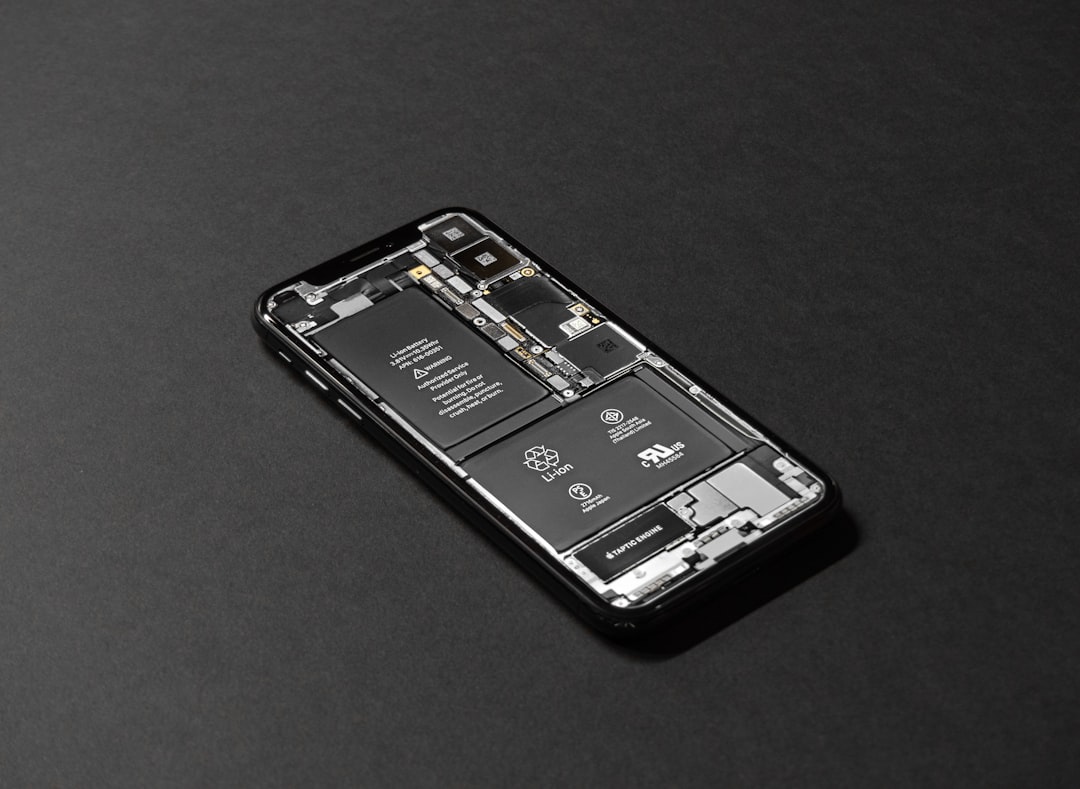
Charging is one of the most common times for a phone to heat up. That is because energy is flowing into the battery, and some of that energy naturally becomes heat. The faster the charging speed, the more carefully the phone must manage temperature.
Modern fast charging systems can push a large amount of power into the battery in a short time. Your phone and charger communicate to decide how much power should be delivered. When everything works correctly, the process is safe and efficient. But heat can increase when you use the wrong charger, charge in a hot location, or keep using the phone heavily while it is plugged in.
Common charging related causes of overheating
- Using low quality or damaged chargers: Cheap, counterfeit, or worn cables and adapters may deliver unstable power, creating extra heat.
- Charging while gaming or streaming: The battery is receiving power while the processor and screen are consuming power, causing heat from both directions.
- Wireless charging: Wireless charging is convenient, but it is generally less efficient than wired charging and often produces more heat.
- Thick phone cases: A bulky case can trap heat, especially during fast charging.
- Charging in direct sunlight: External heat makes it harder for the phone to cool itself.
- Old or degraded batteries: Batteries become less efficient over time and may heat more easily during charging.
If your phone gets slightly warm while charging, that is usually normal. If it becomes very hot, unplug it, remove the case, and let it cool on a hard, shaded surface. Avoid placing it in a fridge or freezer; rapid temperature changes can cause condensation inside the device.
Gaming: Why Mobile Games Turn Up the Heat
Mobile gaming is one of the most demanding things you can do on a phone. Games can push the CPU, GPU, RAM, display, speakers, network modem, and storage all at once. High frame rates, detailed graphics, online multiplayer, and background voice chat make the phone work even harder.
Think of gaming as asking your phone to run a miniature console inside a thin glass and metal shell. The processor performs physics, artificial intelligence, animation, and controls. The graphics chip renders environments, shadows, effects, and characters. The display may refresh 60, 90, 120, or even more times per second. All of this creates heat.
Gaming settings that increase phone temperature
- High graphics quality: More textures, shadows, reflections, and effects require more processing power.
- High frame rate modes: Running a game at 90 or 120 frames per second can create much more heat than 30 or 60 frames per second.
- Maximum screen brightness: The display is often one of the biggest power users in a phone.
- Online multiplayer: Continuous data transfer keeps the modem active and adds extra heat.
- Playing while charging: This is one of the fastest ways to make a phone hot.
When your phone gets too hot during gaming, it may use thermal throttling. This means the processor slows down to reduce heat. You may notice frame drops, lag, lower brightness, or slower touch response. While throttling can be annoying, it protects the device from heat damage.

Background Apps: The Hidden Heat Makers
Sometimes your phone overheats even when you are not actively doing anything intense. In this case, background apps may be the cause. Apps can continue working after you leave them, especially if they sync data, track location, upload files, download updates, refresh feeds, or send notifications.
A single background process may not matter much, but many small processes can add up. Social media apps refresh content, messaging apps check for new messages, cloud services sync photos, fitness apps monitor movement, and navigation apps may continue using location. If one app misbehaves or gets stuck in a loop, it can keep the processor active for long periods.
Signs a background app may be causing overheating
- Your phone is hot while sitting idle.
- Battery drains quickly without obvious use.
- The phone feels warm in your pocket or bag.
- A specific app appears high in battery usage settings.
- The device cools down after restarting.
To investigate, check your phone’s battery usage section. On many devices, you can see which apps consumed the most battery in the last 24 hours or several days. If an app you barely used is near the top, it may be running too much in the background.
Poor Signal and Network Searching
A weak cellular signal can make your phone surprisingly hot. When reception is poor, the modem increases power to maintain a connection with nearby towers. This is especially common in basements, elevators, rural areas, crowded events, trains, and buildings with thick walls.
If your phone is constantly switching between 5G, 4G, and Wi Fi, it may use extra energy. Hotspots can also generate heat because your phone is acting like a mini router, using both cellular data and Wi Fi broadcasting at the same time.
If you notice overheating in low signal areas, try enabling airplane mode when you do not need service, using Wi Fi calling where available, or switching from 5G to 4G if your phone allows it. In some situations, 5G can be faster but more power hungry, especially when signal strength is inconsistent.
Camera, Video Calls, and Navigation
Gaming gets much of the attention, but the camera can also heat a phone quickly. Recording high resolution video, especially 4K or 8K, requires the image sensor, processor, storage, and screen to work continuously. Add image stabilization, HDR, or live filters, and the workload grows.
Video calls are similarly demanding. They use the front camera, microphone, speakers, display, processor, and network connection at the same time. Navigation apps also create heat because they keep GPS, mobile data, screen brightness, and map rendering active for long periods.
This is why a phone mounted on a car dashboard can overheat quickly: it may be running GPS navigation, streaming music, connected to Bluetooth, charging, and sitting in sunlight all at once.
Environmental Heat: The Factor People Forget
Your phone’s cooling depends heavily on the temperature around it. If the air is already hot, the device cannot release heat efficiently. Direct sunlight is especially dangerous because glass and metal absorb heat quickly. A phone left on a beach towel, car seat, windowsill, or dashboard can reach unsafe temperatures even when it is not being used.
Most phones are designed to operate within a recommended temperature range. When the environment exceeds that range, the phone may reduce performance or stop working temporarily. Heat is also one of the biggest long term enemies of lithium ion batteries. Repeated exposure to high temperatures can reduce battery capacity, meaning your phone will not last as long on a charge.
How to Cool Down an Overheating Phone Safely
If your phone is too hot, the goal is to reduce workload and help heat escape gently. Do not panic, and do not use extreme cooling methods.
- Stop demanding activity: Close games, camera apps, video calls, or navigation if possible.
- Unplug the charger: Charging adds heat, especially fast or wireless charging.
- Remove the case: This helps heat leave the device more easily.
- Move it to shade: Keep it away from sunlight, hot cars, blankets, and pillows.
- Turn on airplane mode: This can reduce modem activity, especially in weak signal areas.
- Restart the phone: A restart can stop stuck background processes.
- Let it rest: Place it on a cool, dry, hard surface for several minutes.
Avoid putting your phone in a refrigerator, freezer, or near ice. Sudden cooling can cause moisture to form inside the device, potentially damaging internal components.
How to Prevent Overheating
Prevention is mostly about reducing unnecessary workload and avoiding heat traps. You do not need to baby your phone, but a few habits can make a noticeable difference.
- Use trusted chargers and cables from reputable brands or the phone manufacturer.
- Avoid charging under pillows, blankets, or soft furniture because these trap heat.
- Lower screen brightness when you do not need maximum brightness.
- Reduce game graphics settings or frame rate if the phone gets hot often.
- Close unused apps that are actively syncing, tracking, or uploading.
- Update your apps and operating system because software bugs can cause runaway battery use.
- Limit background refresh for apps that do not need constant updates.
- Keep your phone out of direct sun, especially while charging or navigating.
- Take breaks during long gaming or recording sessions to let the device cool.
When Overheating May Signal a Bigger Problem
Occasional heat during heavy use is normal. But you should pay closer attention if your phone overheats during light tasks, gets hot while idle, shuts down repeatedly, or shows battery swelling. A swollen battery may cause the screen or back panel to lift, and it should be handled as a safety issue.
If overheating began after installing a new app, remove it and see if the problem stops. If it started after a system update, check for follow up updates or reset settings if necessary. If the phone is older and battery life has dropped significantly, a battery replacement may help.
When in doubt, contact the manufacturer, carrier, or a qualified repair technician. Persistent heat is not just uncomfortable; it can shorten battery life and reduce overall device reliability.
The Bottom Line
Your phone overheats because it is balancing performance, power, and limited cooling space. Charging adds battery heat, gaming pushes the processor and graphics chip, and background apps can quietly keep the device working when it should be resting. Poor signal, camera use, navigation, sunlight, and aging batteries can make the problem worse.
The good news is that most overheating can be managed with simple habits: charge smart, reduce heavy multitasking, control background activity, avoid hot environments, and give your phone time to cool down. A warm phone is often just a busy phone — but a frequently hot phone is asking for attention.
