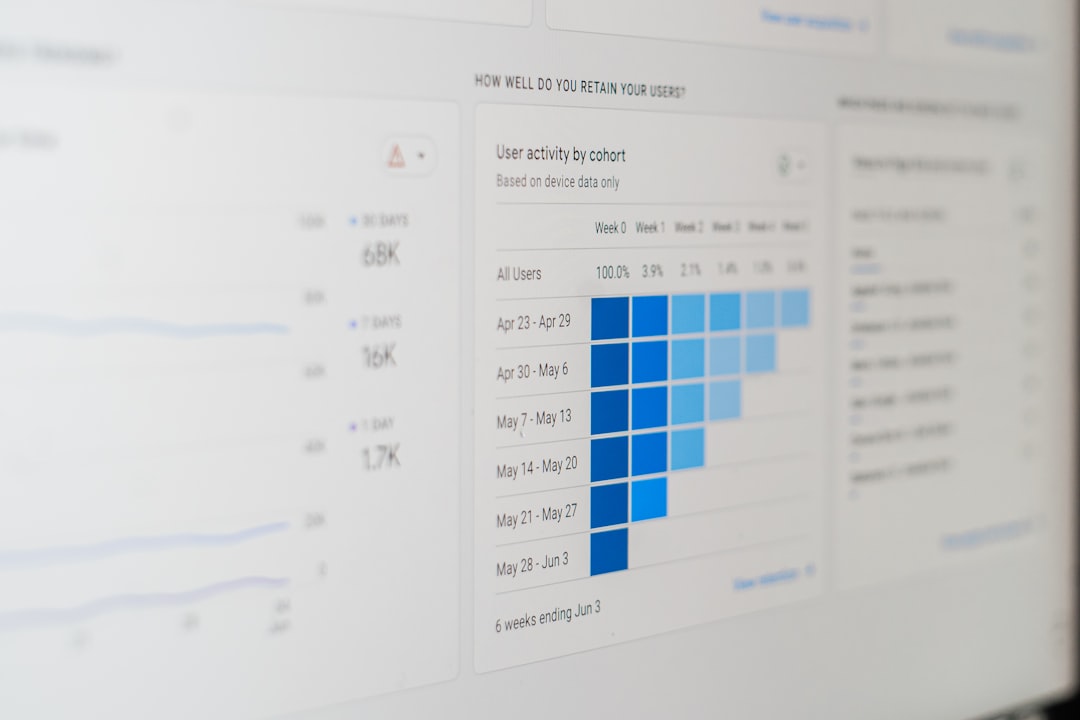
Making informed decisions in today’s digital world depends heavily on one thing: accurate, timely feedback. Whether you run a small business, manage a marketing team, teach a class, or lead an HR department, understanding what people think is critical. The good news? You no longer need coding knowledge, data science skills, or a technical team to gather meaningful insights. Modern online survey software has made it easier than ever to collect, analyze, and act on feedback with just a few clicks.
TLDR: Online survey software allows anyone—regardless of technical skill—to create professional surveys, collect responses, and analyze data quickly. These tools offer drag-and-drop editors, pre-built templates, automated reports, and integrations with other platforms. Businesses, educators, and researchers can all benefit from simple yet powerful features. Choosing the right tool depends on your goals, budget, and desired level of data analysis.
In this article, we’ll explore how online survey tools work, the benefits they offer, key features to look for, and some of the most popular platforms available today.
Why Online Survey Software Matters
Collecting feedback used to mean paper forms, long email chains, or expensive phone interviews. Now, with intuitive survey platforms, you can:
- Create professional surveys in minutes
- Distribute them instantly via email, link, or social media
- Track real-time responses
- Generate instant reports and visual data charts
What makes modern survey software especially powerful is its accessibility. Most platforms are built with no-code functionality, meaning you don’t need technical expertise to design surveys or analyze results. Everything from formatting to reporting is typically handled through user-friendly dashboards.

Key Features That Make Survey Tools User-Friendly
If you don’t have technical skills, certain features can make a big difference in your experience. Here’s what to look for:
1. Drag-and-Drop Builder
This feature allows you to build surveys visually. Simply drag question types—like multiple choice, rating scales, or text boxes—into place. No coding required.
2. Pre-Built Templates
From customer satisfaction to employee engagement, templates take the guesswork out of survey creation. You can customize them to match your brand and goals.
3. Logic and Branching Made Simple
Smart surveys respond to users’ answers. For example, if someone answers “No,” they might skip several follow-up questions. Look for platforms that offer visual logic tools so you don’t have to manually configure complex rules.
4. Automatic Data Visualization
Great survey software transforms raw data into charts, graphs, and dashboards instantly. This helps you interpret results without relying on external analytics tools.
5. Mobile Optimization
Most respondents use smartphones. Ensure your chosen platform automatically optimizes surveys for mobile devices.
6. Integration Capabilities
Many tools connect directly with CRM systems, email marketing software, and project management platforms. This allows feedback to flow seamlessly into your workflow.
How Different Industries Use Survey Software
Online survey tools aren’t limited to market researchers. Here’s how various sectors use them:
- Small Businesses: Gather customer feedback and measure satisfaction.
- HR Teams: Conduct employee engagement surveys and pulse checks.
- Educators: Create quizzes, course evaluations, and classroom polls.
- Marketers: Test product ideas, messaging, and campaign effectiveness.
- Event Organizers: Collect post-event feedback.
The flexibility of online survey software makes it an adaptable solution for nearly any feedback-driven objective.
Popular Online Survey Platforms Compared
If you’re looking for tools that require minimal technical skill, here are five popular options often praised for ease of use:
| Tool | Ease of Use | Best For | Templates Available | Reporting Features |
|---|---|---|---|---|
| SurveyMonkey | Very Beginner-Friendly | Businesses and marketers | Extensive library | Advanced analytics and export options |
| Google Forms | Extremely Simple | Educators and small teams | Basic templates | Simple charts, integrates with Sheets |
| Typeform | Intuitive and Interactive | Customer-facing surveys | Modern design templates | Visual dashboards, response tracking |
| Jotform | Drag-and-Drop Builder | Businesses needing customization | Wide template range | Real-time reports and integrations |
| Zoho Survey | Beginner to Intermediate | Companies using Zoho ecosystem | Professional templates | Detailed reporting and CRM sync |
Each platform offers free and paid plans. If you’re just starting, testing the free version can help you determine which interface feels most intuitive.
Steps to Create Your First Survey
Even if you’ve never used survey software before, the process typically follows these simple steps:
- Define Your Objective
Be clear about what insight you want to gain. Customer satisfaction? Product feedback? Employee morale? - Choose the Right Template
Templates save time and ensure your questions are structured effectively. - Customize Questions
Use a blend of multiple choice, rating scales, and open-ended questions. - Preview and Test
Always test the survey yourself to ensure clarity and logical flow. - Distribute Strategically
Share via email, embed on your website, or post on social media. - Analyze Responses
Use built-in dashboards to interpret trends and key takeaways.
Because modern tools automate most of these steps, you can launch a fully functional survey within an hour.
Tips for Getting Better Responses
Even the best survey software won’t guarantee results if your approach is lacking. Here are proven strategies to maximize participation:
- Keep it short: 5–10 minutes is ideal.
- Use clear language: Avoid jargon and complex phrasing.
- Offer incentives: Discounts, gift cards, or entry into a draw can boost response rates.
- Optimize timing: Send surveys when respondents are most likely to engage.
- Ensure anonymity (when appropriate): People are more honest when privacy is guaranteed.
A thoughtful combination of design and strategy dramatically improves data quality.

The Power of Automated Insights
Perhaps the most impressive feature of modern survey software is automation. Today’s platforms go beyond simple data collection by offering:
- Real-time analytics dashboards
- Automated summary reports
- Sentiment analysis for open-ended responses
- Export options for deeper analysis
Some even use AI-powered recommendations to detect patterns and highlight significant trends. For non-technical users, this eliminates hours of manual spreadsheet analysis.
Common Mistakes to Avoid
Even user-friendly software can’t compensate for poor survey design. Watch out for these pitfalls:
- Asking too many questions
- Using leading or biased wording
- Ignoring data privacy compliance
- Failing to act on feedback collected
Remember, gathering insights is only valuable if you use them to drive improvements.
Choosing the Right Platform for You
The best survey tool depends on your needs, budget, and comfort level. Ask yourself:
- Do I need advanced analytics or just basic charts?
- How important is branding and design customization?
- Will I need integrations with other business tools?
- How many responses do I expect?
If simplicity is your priority, Google Forms might suffice. If branding and interactive design matter more, Typeform may be ideal. For deeper data analysis and scalability, platforms like SurveyMonkey or Zoho Survey could be better options.
Final Thoughts
Online survey software has democratized data collection. What once required specialized training is now accessible to entrepreneurs, educators, managers, and marketers alike. With intuitive interfaces, automated analytics, and customizable templates, these platforms remove the technical barriers that previously limited insight gathering.
The true value lies not just in collecting responses, but in turning those responses into action. When used effectively, survey tools help you understand your audience, improve experiences, refine products, and make smarter decisions—without ever needing to write a single line of code.
In a world driven by data, the ability to gather insights easily may be one of the most powerful advantages you can have.
